Case studyBuilt by usBespoke booking systemLive

Lit Studios.

We built Lit Studios' booking system from scratch and built it into their website: live availability, studio and kit in one request, and a calendar that stays in step with the owner's phone.

The Lit Studios online booking calendar for The Loft
01The build in numbers
46items on the live kit listacross 8 categories, with real stock
1request covers studio and kitone email, one line in admin
2 waycalendar sync with the owner's iClouda shoot added on a phone blocks the website
86automated tests passingbookings, hire, email, calendar, logins
54 KBfor the whole booking page10 requests, about 3 KB of JavaScript
0technical steps for the owneremail, calendar, rates and kit all set in admin

Page size measured on the live booking page, same computer, emulated 4G, cache off. Full method under "Measured". The test count is from the project's own test suite.
02Booking the studio

A day booked in two taps.

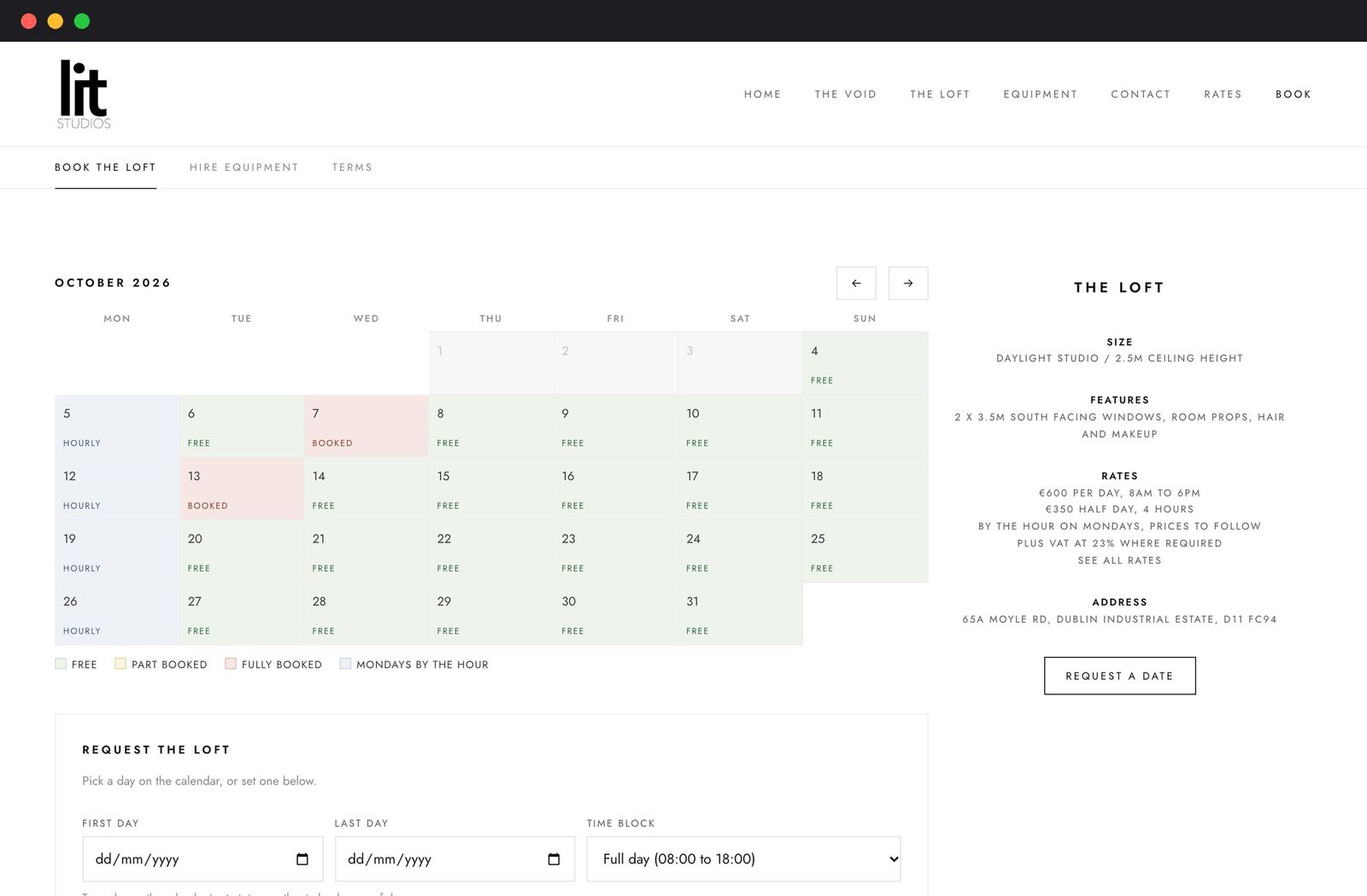
Customers see the whole month at a glance, with every day marked free, part booked or fully booked, and pick their dates straight from it.

Customers tap a first day and a last day, up to 31 days in a run, then choose a full day (8am to 6pm), a half day, custom hours or, on Mondays, by the hour. A guide price is worked out from the studio's own rates card, with VAT shown.

The request lands as pending. The owner confirms or declines from the admin area, and the customer gets an email either way. The system also handles two studios: booking both together blocks each one, and a booking in either blocks the pair. The Void is ready to switch on the day it joins.

03Hiring kit

Kit hire that knows what is in stock.

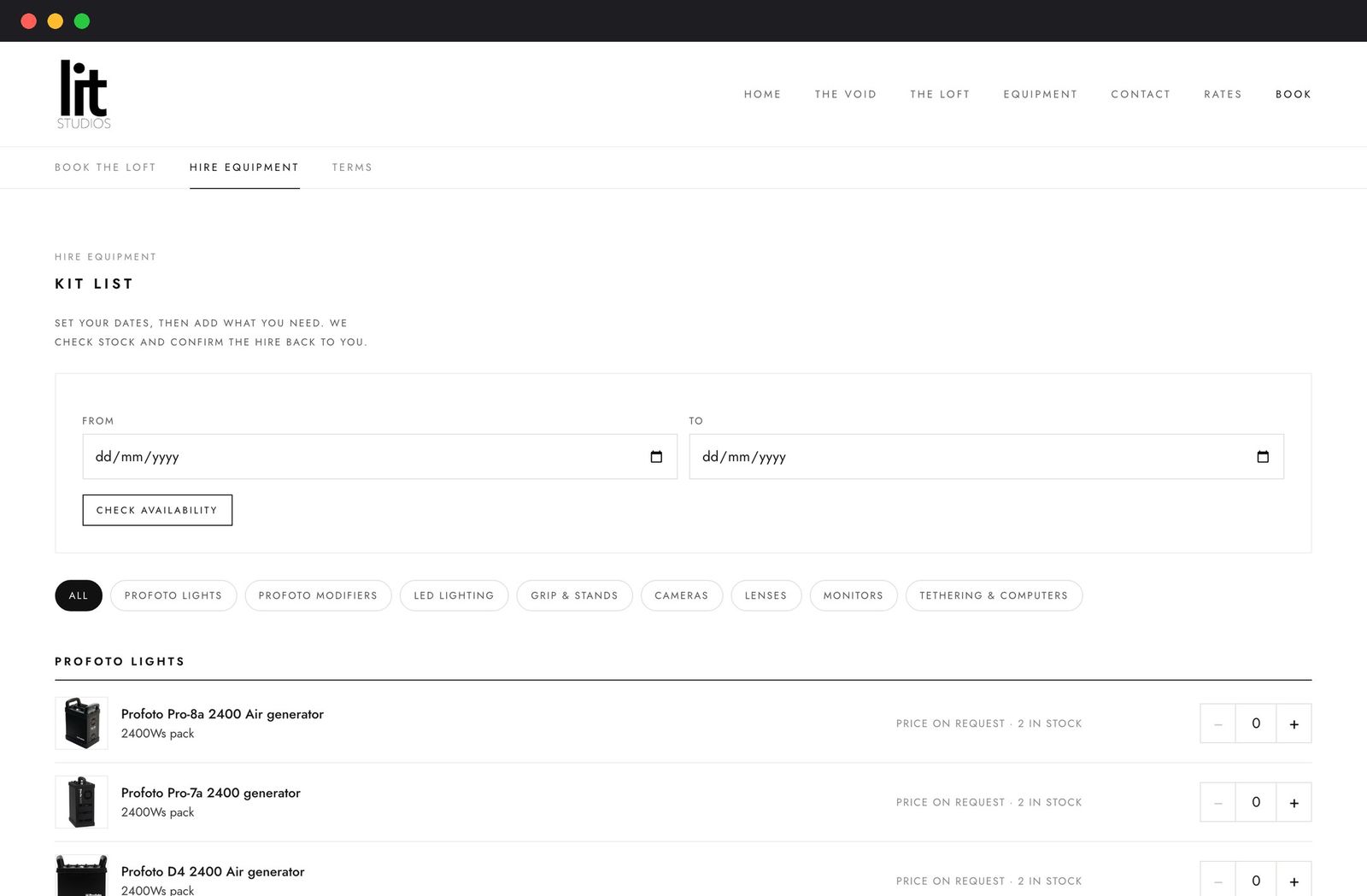
46 real items across 8 categories, each with a photo and live stock for the dates chosen.

Availability is worked out from the stock held, less the most that is committed on any day in the range, so two customers can never hire the same light.

Kit can be added straight onto a studio booking, so one request covers everything. Confirm, decline, cancel and paid all carry through to the kit from a single action.

  • Profoto lights
  • Modifiers
  • LED lighting
  • Grip and stands
  • Cameras
  • Lenses
  • Monitors
  • Tethering and computers
The studio booking calendar and request form
Book the studio
The kit hire list with category filters and quantity steppers
Hire equipment
04The back office

An admin the owner can run alone.

Everything the studio owner needs sits inside one admin area. There is no file editing and no technical step, ever.

This week

The next seven days at a glance, with requests waiting for a decision.

Requests

Review, confirm or decline, with the right email sent to the customer automatically.

Block out days

Close a single day, a run of days or both studios for a shoot or a holiday.

Calendar view

A read only month showing bookings, holds, kit hires and anything busy in the linked iCloud calendars, each tagged with where it came from.

Kit list upload

Drop in a spreadsheet and review what is new and what would change, row by row, before anything is written.

Payments

Mark a booking paid by card terminal, transfer, link or cash, with a reference.

Settings

Email, calendar, studios and rates, the kit agreement and the passcode, each with a test button.

Getting set up

A checklist walks the owner through setup until every step is done.

Documents

A privacy notice and a hire agreement, both built into the booking forms.

About 5,000 lines of purpose built code, backed by 86 automated tests.

05The calendar

A calendar that stays true.

The website and the owner's phone are never out of step.

Confirmed bookings, holds and kit hires are written into the studio's own iCloud calendars, with stable IDs so they update in place and disappear again if a booking is cancelled.

It works the other way too. Anything the owner adds to those calendars by hand, such as a shoot arranged on the phone, takes that slot off the public booking page. A private read only feed lets the owner subscribe from any phone.

06Built to be trusted

The serious parts, done properly.

The legal bits

A privacy notice written to what the code really does, linked beside every request form. A hire agreement signed in the browser behind a mandatory tick box, with the version recorded on every booking so the studio always knows what a hirer agreed to.

Security

A passcode protected admin, form protection, a lockout after repeated failed logins, and a production build that refuses to start without its secrets.

Watching itself

A health check, plus a monitor on the server every five minutes that sends an alert email if the site is ever down. If the app fails to start it shows a holding page with the studio's phone and email, and a deploy fails loudly unless the health check passes.

07Joined to the site

Part of the website, not bolted on.

Book Now sits in the menu of every page of litstudios.ie.

The equipment page sends visitors straight to the live kit list, so what they see is always what is actually available.

The main studio site stays as it was. We built the booking system to sit alongside it, with the same look and the same menu, so a customer never feels they have left.

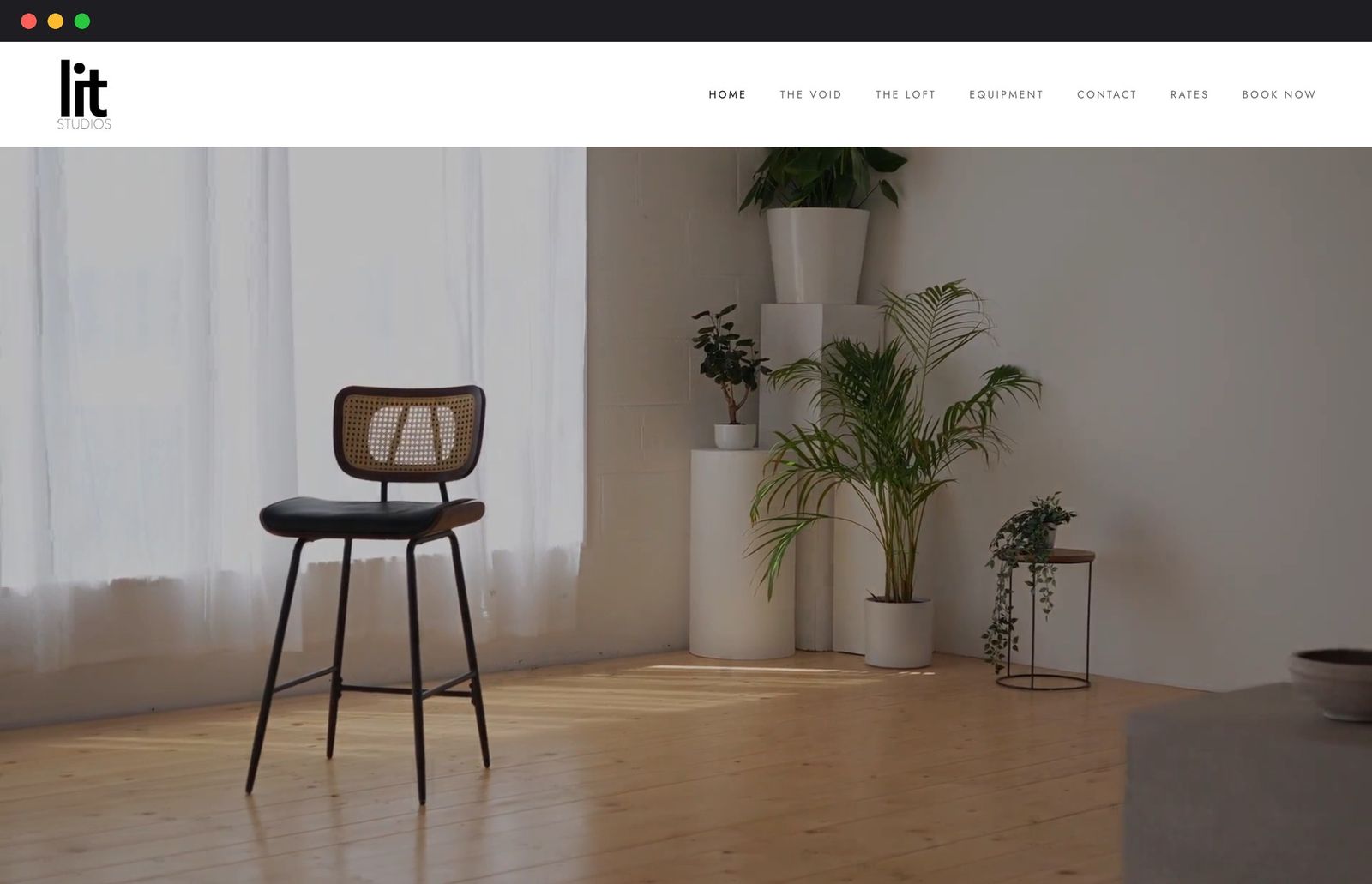
The Lit Studios homepage
litstudios.ie
The booking system in the same design
book.litstudios.ie
08Measured

Light by design.

Live pageBookingKit hire
Requests1026
Page weight54 KB361 KB
JavaScript3 KB2.5 KB
Stylesheets9.7 KB9.7 KB
Fully loaded1.3 s1.4 s

Method: the live pages tested on the same computer in Chrome, cache off, with an emulated 4G connection (about 8 Mbps and 150 ms latency), median of three runs. The kit hire page is larger because it carries a photo for each item.

09What comes next

Taking payment online.

Today the owner records card terminal, transfer and cash payments against each booking. A payment link in the confirmation email is the natural next step.

10Your turn

Need bookings built in?

Tell us how you take bookings today and we will show you what a bespoke system could do for your business.

Start a conversationBack to the work